Discover the definitive guide to Roblox Studio, tailored for US gamers who balance their passion for play with demanding jobs and family life. This comprehensive resource dives deep into how Roblox Studio empowers you to create immersive experiences, from understanding its intuitive interface to mastering Lua scripting and optimizing game performance. Learn practical strategies to build engaging worlds, connect with a vibrant developer community, and even explore monetization opportunities without sacrificing your precious time. We'll cover everything from initial setup and essential tools to advanced tips for balancing your creative endeavors with daily responsibilities, ensuring you can truly unwind and unleash your creativity. Uncover this month's trending development techniques and common pitfalls to avoid, making your journey into game creation rewarding and fun. Whether you're looking to build the next big hit or simply express your creativity, Roblox Studio offers a powerful, accessible platform to achieve your goals while respecting your schedule and priorities as an adult gamer. Get ready to transform your gaming passion into tangible creations.
How do I start creating games in Roblox Studio as a beginner?
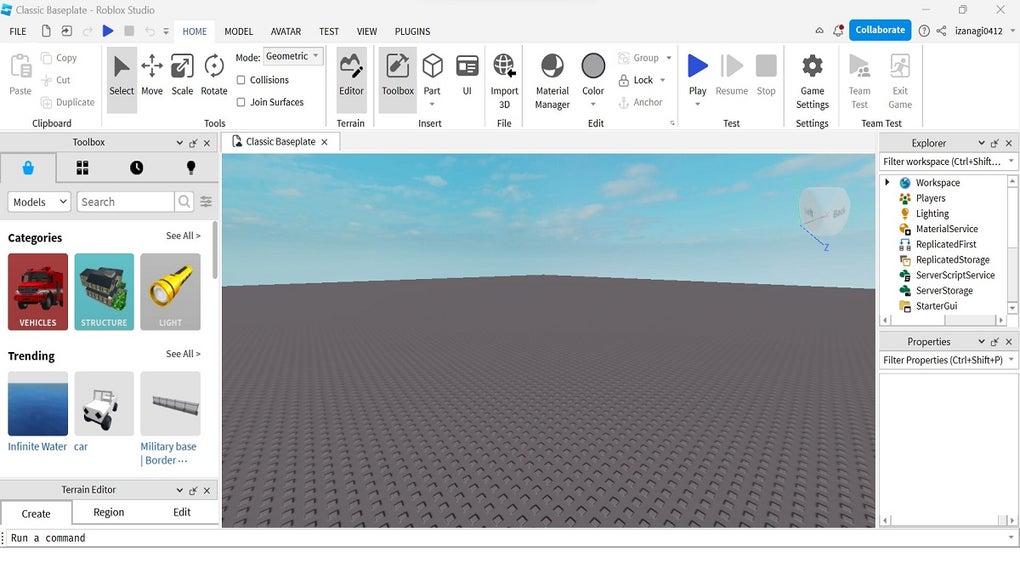
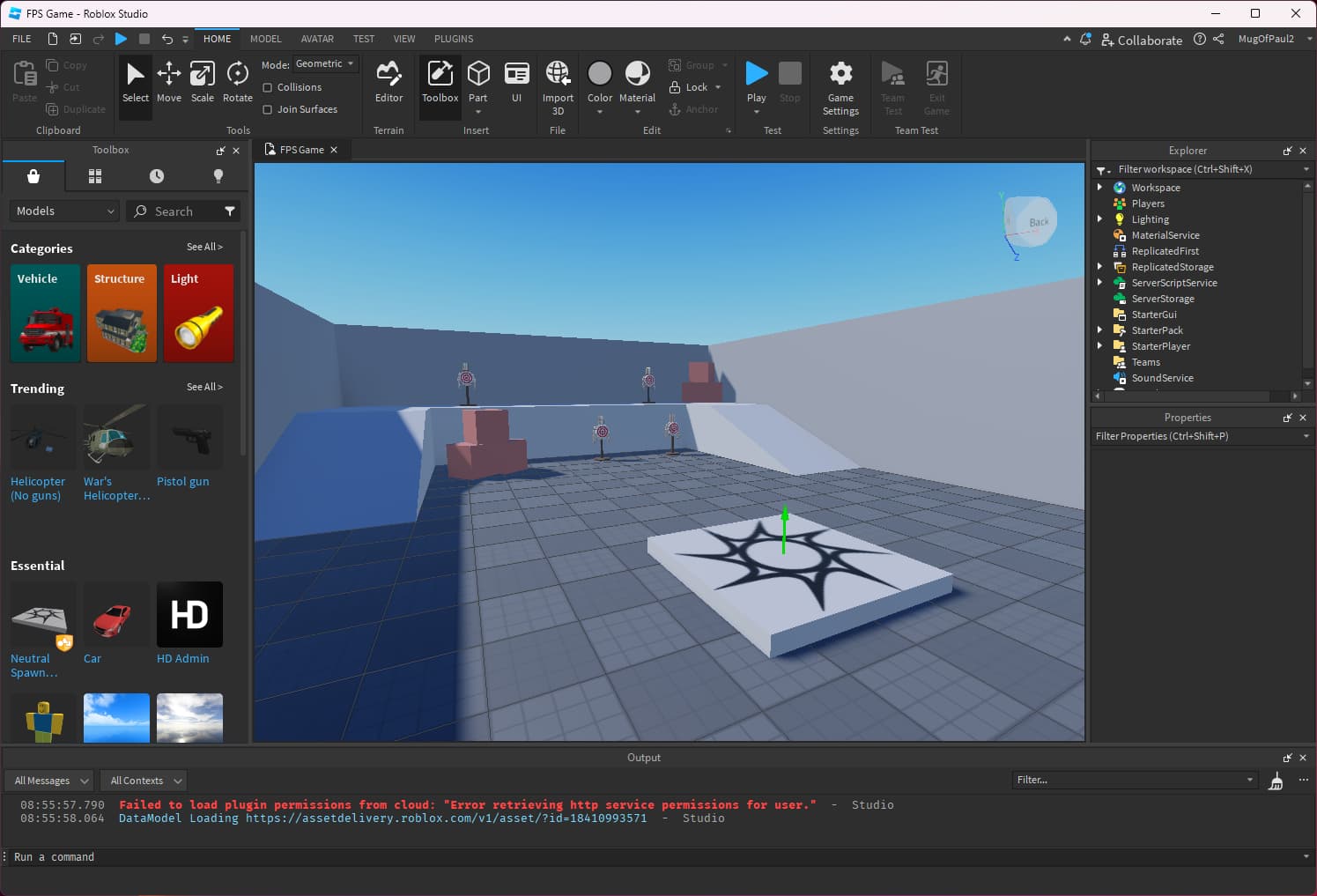
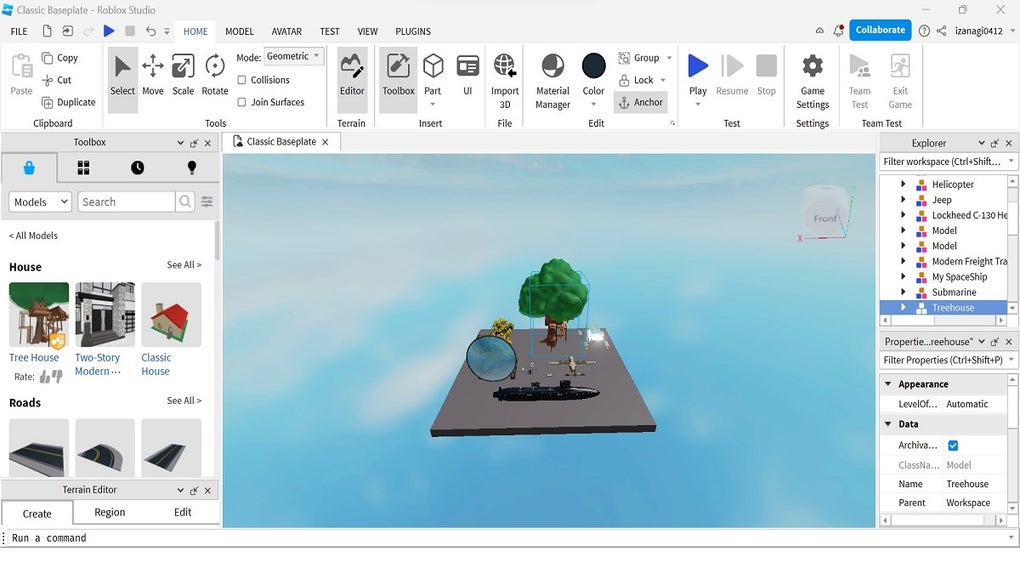
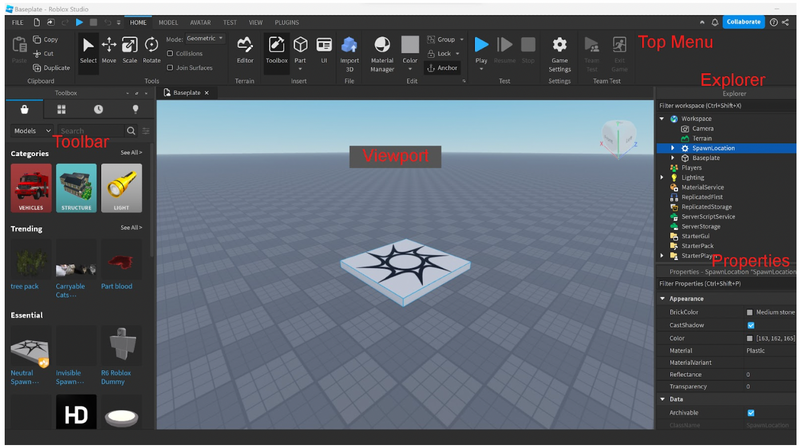
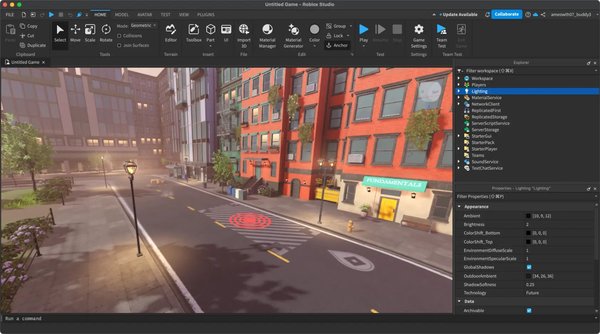
Getting started with Roblox Studio is surprisingly straightforward. First, download and install Roblox Studio from the official Roblox website. Once installed, open it and choose a template—these range from empty baseplates to pre-built obbies or social spaces. Familiarize yourself with the interface: the Explorer window shows all objects in your game, and the Properties window lets you customize them. Start by adding basic parts, changing their colors and sizes, and moving them around. Many free tutorials on YouTube and the official Roblox Creator Hub offer excellent step-by-step guides for your very first project.
What programming language does Roblox Studio use?
Roblox Studio primarily uses Lua, a lightweight, powerful, and easy-to-learn scripting language. While it might sound intimidating, Lua is known for its simplicity and clear syntax, making it an excellent first language for aspiring game developers. You'll write scripts to bring your creations to life, controlling everything from player interactions and item behaviors to UI elements. There are abundant free resources and communities dedicated to teaching Lua specifically for Roblox, making the learning curve manageable even for those with no prior coding experience.
Can I make money with Roblox Studio?
Yes, absolutely! Many creators have successfully monetized their games through Roblox Studio. The primary method is via Robux, Roblox's virtual currency. You can earn Robux through various means, such as selling in-game items (developer products), creating game passes (one-time purchases for perks), or implementing premium payouts where you earn Robux based on how much time Premium subscribers spend in your game. Once you accumulate enough Robux, you can use the Developer Exchange (DevEx) program to convert them into real-world currency, subject to certain eligibility requirements and exchange rates.
What are the best free resources for learning Roblox Studio?
The best free resources for learning Roblox Studio are diverse and plentiful. The official Roblox Creator Hub (create.roblox.com) is an invaluable starting point, offering comprehensive tutorials, documentation, and a vibrant developer forum. YouTube channels like AlvinBlox, TheDevKing, and TheHattastic are fantastic for visual learners, providing step-by-step video guides on everything from basic building to advanced scripting. Additionally, joining Roblox developer Discord servers allows you to ask questions, share progress, and learn from experienced creators in real-time. Don't underestimate the power of simply exploring pre-existing open-source game files to understand how others build.
How to troubleshoot common Roblox Studio errors?
Troubleshooting in Roblox Studio often involves a systematic approach. First, check the Output window for error messages; they usually point directly to the problematic script and line number. Common issues include typos in variable names, incorrect function calls, or logical errors in your code. Ensure all assets are properly loaded and named correctly in the Explorer. If a script isn't running, verify it's enabled and placed in the correct parent object. Using print statements in your code to track variable values can also help pinpoint where things go wrong. When stuck, describing your problem accurately on the Roblox Developer Forum or a relevant Discord server often yields quick solutions from the community.
How can I optimize game performance in Roblox Studio for a smoother player experience?
Optimizing game performance in Roblox Studio is crucial for player retention, especially for mobile users. Focus on reducing unnecessary parts and unions; simpler geometry renders faster. Use streaming enabled to load parts dynamically, reducing initial load times. Implement efficient scripting by minimizing loops, avoiding excessive server-client communication, and cleaning up unused objects. Utilize the Performance Stats window in Studio to identify bottlenecks like high ping, network usage, or rendering issues. Texture optimization and minimizing complex particle effects also contribute significantly to a smoother experience, ensuring players on various devices enjoy your creation without lag.
What are the key steps to publishing my game on Roblox and reaching an audience?
Publishing your game on Roblox involves several key steps. First, ensure your game is saved to Roblox from Studio. Then, navigate to your game's settings within Studio or on the Roblox website. Here, you'll configure its title, description, genre, and access settings (public, private, friends only). Create an engaging icon and thumbnails to attract players—first impressions matter! Share your game link on social media platforms, Discord servers, and the Roblox Developer Forum. Consider running small Robux advertisements directly through Roblox to get initial visibility. Engaging with player feedback and consistently updating your game with new content and bug fixes is essential for long-term growth and audience retention.
How do I effectively collaborate with others on a Roblox Studio project?
Collaborating effectively on a Roblox Studio project requires good communication and organization. Roblox Studio offers a built-in
Are you a dedicated gamer, perhaps balancing a full-time job, family responsibilities, and a consistent passion for virtual worlds? If you're like the 87% of US gamers who regularly dive into digital adventures, often spending 10 or more hours a week, you know the struggle: you love playing, but maybe you've also dreamed of creating. The idea of building your own game, of seeing others enjoy your vision, is incredibly appealing, yet the perceived complexity and time commitment can be daunting. This is where Roblox Studio enters the scene, offering a surprisingly accessible and powerful platform for game development that doesn't demand you quit your day job.
Many adult gamers, including those around the average age of 36, find immense value in skill-building and creative outlets. Roblox Studio isn't just for kids; it's a robust environment where you can learn genuine game development skills, experiment with unique ideas, and even build a thriving community around your creations. It addresses common pain points like finding a creative hobby that fits a busy schedule, or the desire to understand the mechanics behind the games you enjoy. This guide is designed for you—the busy gamer looking to unwind, build something amazing, and perhaps even turn a passion project into a profitable venture, all while keeping life's demands in perspective. We'll tackle everything from getting started to advanced optimization, ensuring your journey into game creation with Roblox Studio is as rewarding as it is fun.
What Exactly is Roblox Studio and Why Should I Care?
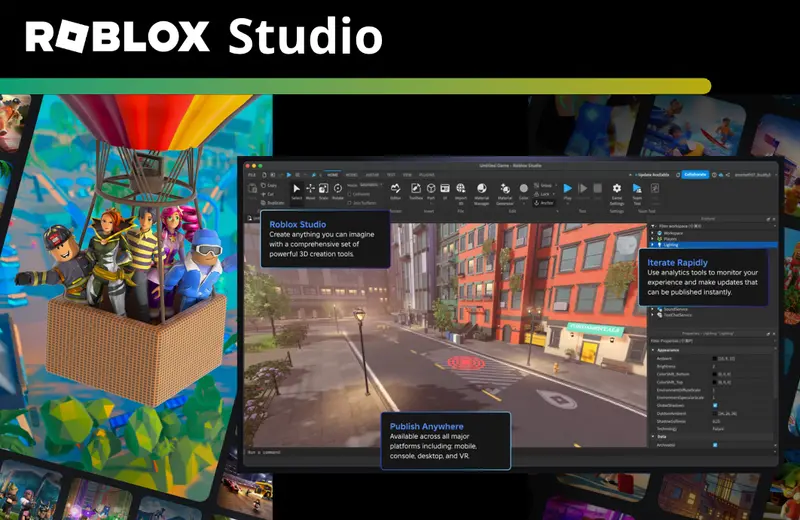
Roblox Studio is the free, integrated development environment (IDE) that empowers millions to create their own games and experiences within the Roblox platform. Think of it as your personal game-making toolkit, complete with building blocks, scripting capabilities, and tools for designing everything from character models to entire virtual worlds. You should care because it offers an unparalleled entry point into game development, requiring no upfront investment, and giving you access to Roblox's massive global audience. It's a fantastic way to engage your creativity, learn valuable coding and design skills, and potentially even earn some income, all within a vibrant, supportive ecosystem.
How Can Busy Adults Get Started with Roblox Studio Effectively?
For adults balancing life, efficiency is key. Start by setting realistic, small goals. Instead of aiming to build a massive open-world RPG immediately, try creating a simple obstacle course (obby) or a small social hangout space. Dedicate consistent, short blocks of time—say, 30-60 minutes a few evenings a week—rather than trying to cram in long sessions. Utilize the official Roblox Creator Hub for structured learning paths and bite-sized tutorials. Focus on understanding one concept at a time, like manipulating parts, then scripting a basic interaction, building your skills incrementally without feeling overwhelmed.
What are the Essential Tools and Features in Roblox Studio for Beginners?
Roblox Studio comes packed with essential tools that are intuitive for beginners. The Explorer window shows a hierarchical list of all objects (parts, scripts, models, UI elements) in your game, allowing you to select and organize them. The Properties window lets you customize selected objects' attributes like color, size, material, and script parameters. Key tools in the 'Home' tab include 'Move,' 'Scale,' and 'Rotate' for manipulating objects, and 'Part' for adding basic shapes. The 'Toolbox' is a treasure trove of free models, scripts, and plugins created by the community, accelerating your development process significantly.
How Can I Learn Lua Scripting for Roblox Game Development?
Learning Lua for Roblox is a crucial step, and it's more accessible than you might think. Lua is known for its relatively simple syntax, making it great for coding novices. Start with interactive tutorials on the Roblox Creator Hub that walk you through basic scripting concepts. Many YouTube channels, like TheDevKing and AlvinBlox, offer excellent video series specifically tailored to Roblox Lua. Focus on understanding variables, functions, conditional statements (if/then), loops, and events. Practice regularly by trying to script small interactions in your game, and don't be afraid to experiment and break things—it's part of the learning process.
What are the Best Practices for Optimizing Game Performance in Roblox Studio?
Optimizing game performance is vital for player retention, especially since many gamers play on mobile devices. First, keep your game's geometry as simple as possible; too many complex parts or unions can cause lag. Utilize Streaming Enabled in your game settings to load parts dynamically as players approach them, reducing initial load times. Script efficiently: avoid unnecessary loops, minimize server-client communication, and clean up objects that are no longer needed. Use the Performance Stats window in Studio to identify bottlenecks. Smaller textures and judicious use of particle effects also contribute to a smoother experience across all devices.
How Can I Monetize My Games Created with Roblox Studio?
Monetizing your games on Roblox Studio allows you to turn your passion into a potential income stream. The primary currency is Robux. You can earn Robux by selling Developer Products (consumable items like potions or one-time boosts), Game Passes (permanent perks like access to exclusive areas or abilities), and through Premium Payouts, which reward you based on how much time Roblox Premium subscribers spend in your game. Once you accumulate enough Robux, you can use the Developer Exchange (DevEx) program to convert them into real-world currency, subject to eligibility criteria. Focus on creating genuinely fun and engaging experiences first, then thoughtfully integrate monetization.
What Are Common Pitfalls to Avoid When Developing on Roblox Studio?
Avoiding common pitfalls can save you a lot of frustration. One major pitfall is Unlock creativity with Roblox Studio, balance game development with life, master Lua scripting, optimize game performance, explore monetization strategies, connect with a thriving developer community, troubleshoot common issues, and stay updated on the latest trends in game creation. How To Publish A Game On Roblox In 2026 Roblox YouTube . How To Publish A Roblox Game 2026 Complete Roblox Studio Tutorial . Roblox 2026 New Logo REVEAL First Look At The Future Shorts YouTube Oar2 . Roblox Studio Update Roblox Studio Download Install MGNAR Roblox Studio How To Play Roblox Studio For Windows . Apa Itu Roblox Dokumentasi Pusat Kreator Roblox Studio Roblox Studio Nas L Ndirilir Ve Kullan L R Webp. C Mo Descargar Y Usar Roblox Studio Paso A Paso Step By Step Roblox Studio Download . Roblox Studio 2025 Roblox Update 2025 FYNSR 210 Cover . A Roblox Movie 2026 Teaser Trailer YouTube . How To Add People Roblox Easily Your 2026 Guide Roblox 2026 Logo REVEALED New Color New Look YouTube Maxres2 . Roblox Studio App 2026 The ULTIMATE Beginner Guide To Roblox Studio.webp. ROBLOX STUDIO CONDO WORKING 2025 MULTIPLAYER GUIDE BOT SYSTEM YouTube . Roblox 2026 Logo Evolve YouTube Oardefault . Roblox 2026 YouTube Oar2 New Studio Start Page Page 17 Developer Forum Roblox 2 1024x691 . Roblox At GDC 2026 Where To Find Us All Week Roblox. RetroStudio Codes April 2026 Deltia S Gaming RStudios . How To Make A Roblox Game With AI Complete 2026 Guide Image. Roblox RPGs 2026 The 10 Titles Redefining Interactive Roblox Rpgs Redefining Gaming 2026.webp Roblox Studio Roblox Studio QAYO Roblox Studio Walkthrough Roblox Studio For Windows . 2026 Roblox Studio Models Guide What To Use Avoid And Why It Matters O . Master Multiple Selections In Roblox Studio Screen Shot 2022 12 20 At 1.49.27 PM . What Are Roblox Ice Decals For 2026 Maxres2 . Roblox In 2026 Play On Roblox NoFilter Want To Downoald Roblox In 2026 A Complete Guide Awaits 1200x1769 . 2026 Roblox Studio Models Guide What To Use Avoid And Why It Matters O . Roblox Studio Con IA Tutorial En Espa Ol 2026 ChatGPT Image 11 Mar 2026 18 41 54 . 2026 Roblox Studio Models Guide What To Use Avoid And Why It Matters O . Best Roblox Studio For Indie Developers In 2026 Blog 010c4943 15d4 47fd Aa82 What Is RDC In Roblox Roblox Developer Conference 2026 Release Date Roblox At GDC .webp. Roblox 2026 Insider Reveals Platform Evolution Safety 4000x4000bb . ROBLOX EM 2026 VAI MUDAR TUDO YouTube . 2026 Roblox Studio Models Guide What To Use Avoid And Why It Matters O